
I love cooking, and I enjoy trying out recipes I find across the Web. When I see a recipe I want to make, I print it out and file it in one of my binders. Tragically, many recipe sites – including one of my favourites, Chocolate-Covered Katie (healthy vegan desserts; check it out!) – don’t have a function that lets you print out a recipe without the unneeded images, comments, navigation, header, and other extraneous bits that use up ink and paper.
Until recently, I’d always copy-paste each recipe into a Word document before printing, formatting it in my beloved Gill Sans font, and adjusting margins and font size to get it onto one page. This took up a fair amount of time.
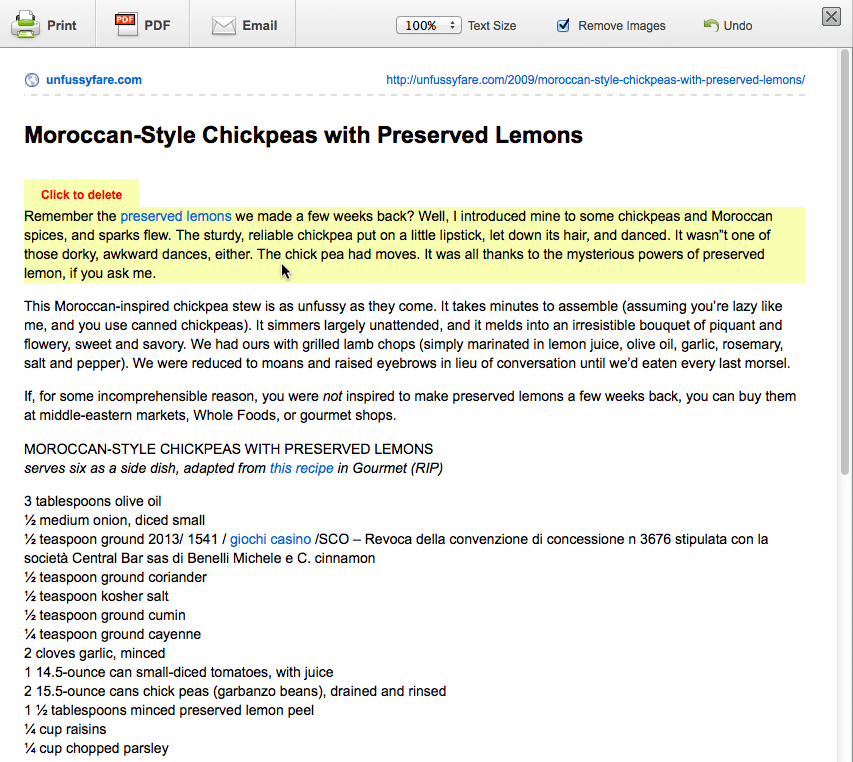
My online  recipe life changed forever when someone pointed out that Print Friendly – makers of a WordPress plugin – also offer a browser bookmarklet that can be used to easily print anything on the web. It lets you do things like automatically remove graphics, shrink the font size, and hide any text you don’t need. Mind = blown.
Print Friendly also makes a WordPress plugin and offers an option for WordPress.com – though if you’re adding recipes to WordPress.com, I’d recommend using the recipe shortcode instead, which comes with a built-in print feature.
Printing out recipes may sound old school, and perhaps someday I’ll go digital. But for now, the Print Friendly bookmarklet is just the ticket, and has made my online recipe adventures even more pleasurable.


 Kathryn Presner
Leave a reply to Sara Rosso Cancel reply